- Open the Food Tracker in the app.
- Tap the hamburger menu (☰) in the top-right corner.
- Select My Foods from the menu.
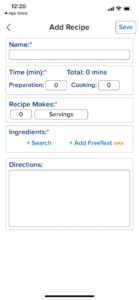
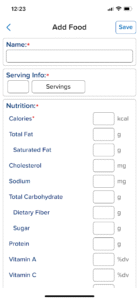
- Tap the Food/Recipe toggle near the top-right to choose whether you’re adding a food item or a recipe.
- Fill in the required fields as prompted. (e.g. Serving Size, Ingredients, Directions, etc.)
- Tap Save when you’re done.
- Your custom food or recipe is now ready to be logged!